Buzz is better on the App Store. Get a Mac-native version of Buzz with a cleaner look, audio playback, drag-and-drop import, transcript editing, search, and much more.
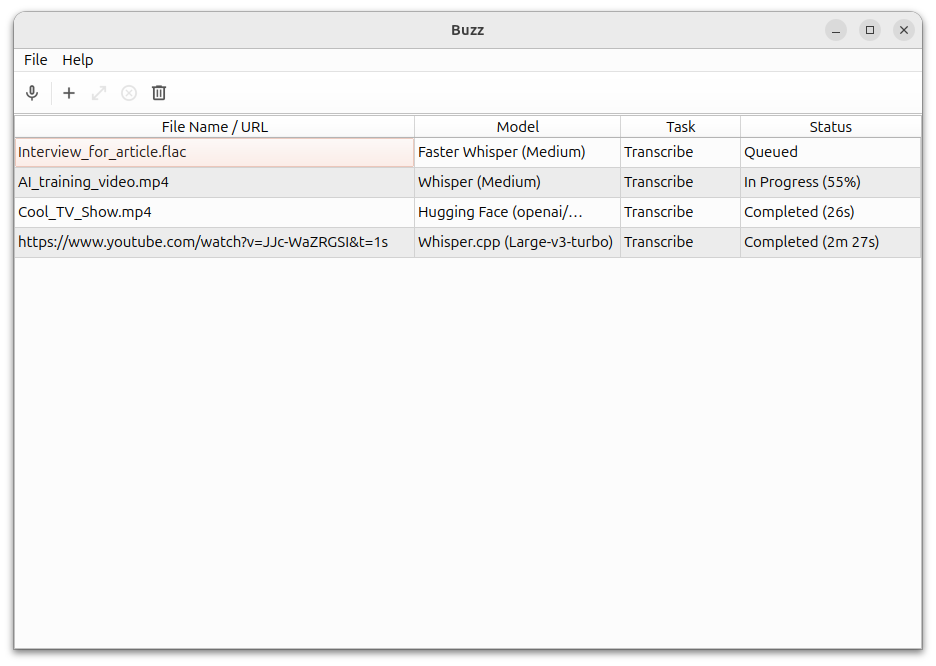
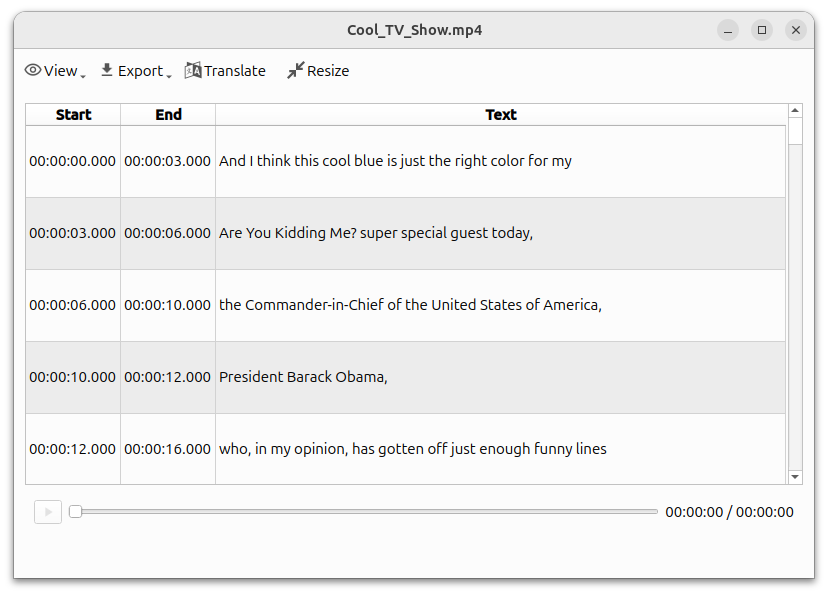
 ## Installation ### PyPI Install [ffmpeg](https://www.ffmpeg.org/download.html) Install Buzz ```shell pip install buzz-captions python -m buzz ``` ### macOS Install with [brew utility](https://brew.sh/) ```shell brew install --cask buzz ``` Or download the `.dmg` from the [releases page](https://github.com/chidiwilliams/buzz/releases/latest). ### Windows Download and run the `.exe` from the [releases page](https://github.com/chidiwilliams/buzz/releases/latest). App is not signed, you will get a warning when you install it. Select `More info` -> `Run anyway`. **Alternatively, install with [winget](https://learn.microsoft.com/en-us/windows/package-manager/winget/)** ```shell winget install ChidiWilliams.Buzz ``` **GPU support for PyPI** To have GPU support for Nvidia GPUS on Windows, for PyPI installed version ensure, CUDA support for [torch](https://pytorch.org/get-started/locally/) ``` pip3 install -U torch==2.7.1+cu128 torchaudio==2.7.1+cu128 --index-url https://download.pytorch.org/whl/cu128 pip3 install nvidia-cublas-cu12==12.8.3.14 nvidia-cuda-cupti-cu12==12.8.57 nvidia-cuda-nvrtc-cu12==12.8.61 nvidia-cuda-runtime-cu12==12.8.57 nvidia-cudnn-cu12==9.7.1.26 nvidia-cufft-cu12==11.3.3.41 nvidia-curand-cu12==10.3.9.55 nvidia-cusolver-cu12==11.7.2.55 nvidia-cusparse-cu12==12.5.4.2 nvidia-cusparselt-cu12==0.6.3 nvidia-nvjitlink-cu12==12.8.61 nvidia-nvtx-cu12==12.8.55 --extra-index-url https://pypi.ngc.nvidia.com ``` ### Linux Buzz is available as a [Flatpak](https://flathub.org/apps/io.github.chidiwilliams.Buzz) or a [Snap](https://snapcraft.io/buzz). To install flatpak, run: ```shell flatpak install flathub io.github.chidiwilliams.Buzz ``` To install snap, run: ```shell sudo apt-get install libportaudio2 libcanberra-gtk-module libcanberra-gtk3-module sudo snap install buzz sudo snap connect buzz:password-manager-service ``` ### Latest development version For info on how to get latest development version with latest features and bug fixes see [FAQ](https://chidiwilliams.github.io/buzz/docs/faq#9-where-can-i-get-latest-development-version). ### ScreenshotsBuzz is better on the App Store. Get a Mac-native version of Buzz with a cleaner look, audio playback, drag-and-drop import, transcript editing, search, and much more.