- TypeScript 62.6%
- Vue 23.9%
- CSS 6.8%
- JavaScript 6.3%
- Smarty 0.3%
 c20e9d2ef0
Previously when any user config file was changed all users would be reloaded. This could be very expensive on installations with thousands of users. Since this triggered when any file was changed it would trigger when any user connected which can be quite frequent. As a side-effect this removes the debouncing. This means that user changes take effect instantly rather than after 1s. Since there is no longer a 1s delay it is extra important that files are written safely. To this end the `thelounge add <user>` command was updated to write the user file atomically. (The update path already did this.) |
||
|---|---|---|
| .github | ||
| .vscode | ||
| client | ||
| defaults | ||
| scripts | ||
| server | ||
| shared | ||
| test | ||
| .browserslistrc | ||
| .editorconfig | ||
| .eslintignore | ||
| .eslintrc.cjs | ||
| .gitattributes | ||
| .gitignore | ||
| .npmrc | ||
| .prettierignore | ||
| .thelounge_home | ||
| babel.config.cjs | ||
| CHANGELOG.md | ||
| index.js | ||
| LICENSE | ||
| package.json | ||
| postcss.config.js | ||
| prettier.config.cjs | ||
| README.md | ||
| renovate.json | ||
| SECURITY.md | ||
| stylelint.config.cjs | ||
| tsconfig.base.json | ||
| tsconfig.json | ||
| volar.config.js | ||
| webpack.config.ts | ||
| yarn.lock | ||

Modern web IRC client designed for self-hosting
Website • Docs • Demo • Docker



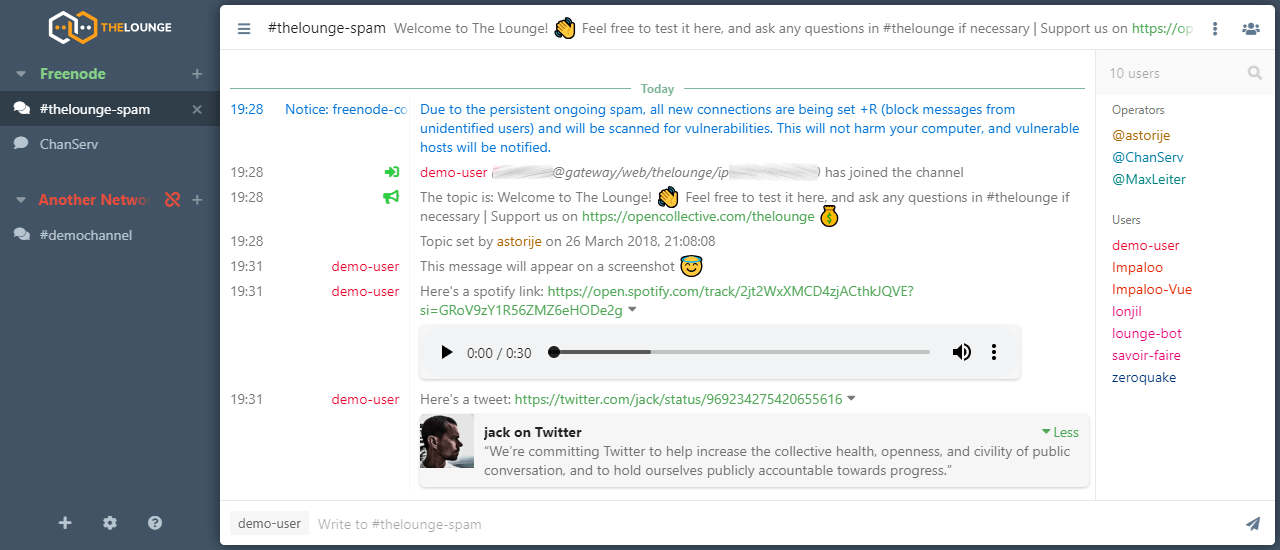
Overview
- Modern features brought to IRC. Push notifications, link previews, new message markers, and more bring IRC to the 21st century.
- Always connected. Remains connected to IRC servers while you are offline.
- Cross platform. It doesn't matter what OS you use, it just works wherever Node.js runs.
- Responsive interface. The client works smoothly on every desktop, smartphone and tablet.
- Synchronized experience. Always resume where you left off no matter what device.
To learn more about configuration, usage and features of The Lounge, take a look at the website.
The Lounge is the official and community-managed fork of Shout, by Mattias Erming.
Installation and usage
The Lounge requires latest Node.js LTS version or more recent.
The Yarn package manager is also recommended.
If you want to install with npm, --unsafe-perm is required for a correct install.
Running stable releases
Please refer to the install and upgrade documentation on our website for all available installation methods.
Running from source
The following commands install and run the development version of The Lounge:
git clone https://github.com/thelounge/thelounge.git
cd thelounge
yarn install
NODE_ENV=production yarn build
yarn start
When installed like this, thelounge executable is not created. Use node index <command> to run commands.
⚠️ While it is the most recent codebase, this is not production-ready! Run at your own risk. It is also not recommended to run this as root.
Development setup
Simply follow the instructions to run The Lounge from source above, on your own fork.
Before submitting any change, make sure to:
- Read the Contributing instructions
- Run
yarn testto execute linters and the test suite- Run
yarn format:prettierif linting fails
- Run
- Run
yarn build:clientif you change or add anything inclient/jsorclient/components- The built files will be output to
public/by webpack
- The built files will be output to
- Run
yarn build:serverif you change anything inserver/- The built files will be output to
dist/by tsc
- The built files will be output to
yarn devcan be used to start The Lounge with hot module reloading
To ensure that you don't commit files that fail the linting, you can install a pre-commit git hook.
Execute yarn githooks-install to do so.